By Patrick Brennan May 6, 2026
Delaware has exactly zero state sales tax. That single fact shapes nearly every retail and hospitality business decision in the state, from pricing strategies to the way you configure your point-of-sale software. Yet many business owners — especially those relocating from tax-heavy states like New York or California — spend weeks troubleshooting their POS systems because they never updated the default tax settings after going live.
Getting your Delaware no-sales-tax POS configuration right isn’t just a bookkeeping nicety. It directly affects customer receipts, pricing displays, end-of-day reports, and your ability to stay compliant if you sell anything into other states. This article breaks down what Delaware’s tax-free status actually means in practice, which POS platforms handle it best, and what you need to configure — or turn off — before your first transaction.
Understanding Delaware’s No-Sales-Tax Law
Delaware is one of only five U.S. states without a general sales tax, along with Montana, New Hampshire, Oregon, and Alaska. The legal foundation is straightforward: the state simply never enacted a retail sales tax. Businesses collect no sales tax on most tangible goods and many services sold to customers physically present in Delaware.
That doesn’t mean tax life is entirely simple. Delaware does impose a gross receipts tax on businesses — a levy on the seller’s total revenue rather than the buyer’s purchase price. This is a crucial distinction. Gross receipts tax is a business expense, not a pass-through charge collected from customers. You do not add it to a customer’s receipt the way a New Jersey retailer adds 6.625% to every sale. It lives entirely on the business side of the ledger.
This matters a lot for your POS setup. Many new merchants in Delaware try to set a small line-item tax on customer transactions to “cover” their gross receipts obligation. This doesn’t work and can confuse customers about how much they are actually being charged, leading to significant inaccuracies in the revenue a business is actually bringing in.
For a comprehensive breakdown of the gross receipts tax structure and current rates, the Delaware Division of Revenue provides formal guidance and rate schedules for different business types.
What “No Sales Tax” Actually Means for Customer Receipts and Pricing
In a Delaware store, the price you see is the price you pay. Sales tax is not added to receipts or at checkout. This allows shoppers to know exactly how much they will pay. Delaware businesses should promote this feature as a competitive marketing advantage.
From a POS perspective, this means your tax rate fields should be set to zero or disabled entirely for in-state transactions. If your system auto-populates a default state tax rate based on your registered address, you need to manually override that field. Leaving a default rate — even 0.1% — in place will silently add charges to customer purchases and throw off your sales reports.
There’s also a nuance around online sales and shipping. If your Delaware-based store ships goods to customers in Pennsylvania, Maryland, or another state with sales tax, you may be required to collect that state’s sales tax depending on your economic nexus. Your POS or integrated e-commerce platform needs to handle destination-based tax rules for those transactions. Delaware’s own customers? Still tax-free. Everyone else? That depends on the destination state’s thresholds.
How to Configure the Most Popular POS Systems for Delaware
Square
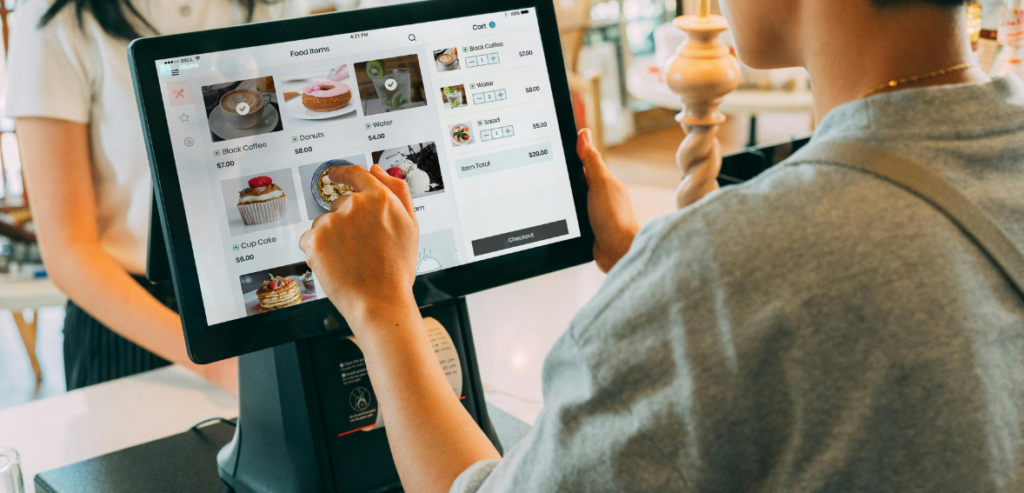
Square is popular among small and mid-sized retailers and food entities in Delaware. Generally, during the first-time store setup, Square prompts you to set a tax rate. For in-person sales in Delaware, you would be better off either setting the tax rate to 0% or not assigning a tax rate to the item catalogs. Square provides the functionality to specify a tax rate for each location, and this is particularly useful when you have a business presence in a bordering state. Specifically, setting your Delaware location to zero tax takes approximately 2 minutes and saves many months of tax-related receipt corrections.
Clover
Preferred by full-service restaurants and specialty retailers, Clover manages tax at the item or category level. The preferred method in Delaware is to set tax groups to nothing or set the default tax group to 0%, because the Clover backend manages many accounting integrations. Careful configuration of zero tax ensures your QuickBooks or Xero sync is accurate from the get-go. Clover’s reporting dashboard will also show correct net revenue with no phantom tax lines, eliminating discrepancies in your daily totals.
Toast
In Delaware’s restaurant industry, especially Wilmington and the Rehoboth Beach dining corridor, Toast commands the highest market share for POS systems. Toast configures tax settings by menu items and menu modifiers. For restaurants in Delaware, set item-level tax rates to 0% and turn off the automatic tax calculation toggle in the restaurant settings panel. Toast’s customer service understands how Delaware taxes work and explains how to set up the configuration during the onboarding process if asked. Toast also does payroll and tip reporting and integrates these modules. Although these areas of sales tax won’t be affected, they can still be configured alongside the tax settings.
Lightspeed
Lightspeed caters specifically to Delaware’s small retail and golf/hospitality industries. Its multi-tax-zone capability benefits businesses that sell and ship directly. For Delaware’s tax zone, set the rate to zero across all product types. For the shipping zones that cover taxable states, set the destination-based rates as described in the Lightspeed tax documentation. The dual-zone tax framework is a strong capability of Lightspeed and supports Delaware merchants who sell products in both physical and online stores.
The Gross Receipts Tax: What Your POS Reporting Needs to Track
Because Delaware businesses pay gross receipts tax rather than sales tax, your POS system’s reporting function becomes a critical compliance tool. You need accurate, complete gross revenue data — not net-of-tax revenue, which is the figure most POS systems default to displaying for businesses in sales-tax states.
When your POS is set up correctly with a zero sales tax rate, your “gross sales” in your reports reflect your actual taxable gross sales. This number is directly used in your gross receipts tax filing in Delaware. Any error, even the smallest, in your tax-related configuration can lead to a distortion in the number, and you will either end up overpaying or underpaying your gross receipts requirement.
Most POS systems have a feature to export gross sales reports for a range of dates, which is what you need for your quarterly gross receipts tax filing. Add this to your annual bookkeeping monthly closing routine. Get the gross sales report, use this to reconcile with what you have in your bank account, and then set aside the appropriate gross receipts tax for this filing. The Delaware Division of Revenue offers online filing, which integrates well with the export options in your POS.
Multi-State Merchants and the Delaware POS Nexus Question
If you operate a Delaware-registered business and also have physical locations or employees in other states, your POS configuration must reflect each jurisdiction’s rules separately. Economic nexus thresholds — typically $100,000 in sales or 200 transactions in a calendar year — trigger collection obligations in most states even without a physical presence.
Cloud-based POS systems that come with built-in tax compliance features are worth the price. POS platforms that integrate with tax services such as Avalara or TaxJar can automate destination-based tax calculations. An example is out-of-state shipments that are tax-compliant, while in-person tax shipments remain at 0%. For Delaware-based businesses moving into e-commerce, these integrations are a necessity, not an option.
Conclusion
Delaware’s no-sales-tax environment is one of the most genuinely business-friendly policies in the United States. It simplifies customer pricing, reduces checkout friction, and eliminates one of retail’s most tedious administrative burdens. But that simplicity holds only if your Delaware no-sales-tax POS configuration accurately reflects reality.
The most common mistake is inaction — leaving default tax settings in place when you set up your system, assuming the software handles it automatically. It often doesn’t. Taking thirty minutes to audit your POS tax settings, confirm your gross sales reporting is accurate, and configure separate tax zones for any out-of-state shipping will save you hours of reconciliation headaches and potential compliance exposure down the road.
Frequently Asked Questions
Do Delaware businesses charge any tax at the point of sale?
No. Delaware has no state sales tax, so no tax line appears on customer receipts for in-state transactions. Businesses do pay a gross receipts tax on their revenue, but this is a business-side obligation and is never added to customer purchases at checkout.
How should I set up my POS system if I’m based in Delaware but also ship to other states?
You need two separate tax configurations. Set your Delaware in-person and local transactions to 0% tax. For out-of-state shipments, configure destination-based tax rates for each state where you meet economic nexus thresholds. Cloud-based POS platforms with Avalara or TaxJar integrations handle this automatically once connected.
Will my POS gross sales report reflect the correct amount for Delaware gross receipts tax filings?
It should, provided your sales tax rate is correctly set to 0%. When no sales tax is deducted from transaction totals, the gross sales figure in your POS reports equals your actual gross receipts — the number Delaware’s Division of Revenue uses for tax calculation.
Does Delaware’s no-sales-tax status apply to restaurants and food service businesses?
Yes. Food service businesses in Delaware do not charge sales tax on meals, beverages, or most food-related transactions. Restaurant POS systems should be configured accordingly, with all menu items and modifiers set to a 0% tax rate. Gross receipts tax still applies to restaurant revenue at the business level
Leave a Reply